Recording treatments
Note on the screenshots: the Vetoxera interface is currently German, and the screenshots come from an installation configured for the German market. Some labels in them – for example GOT-Katalog or DSGVO-Formulare – are named differently in an installation for the Emirates. The workflows and the layout are identical.
The treatment is the heart of Vetoxera: here you record services and medication for an animal – and later turn them into an invoice with a single click.
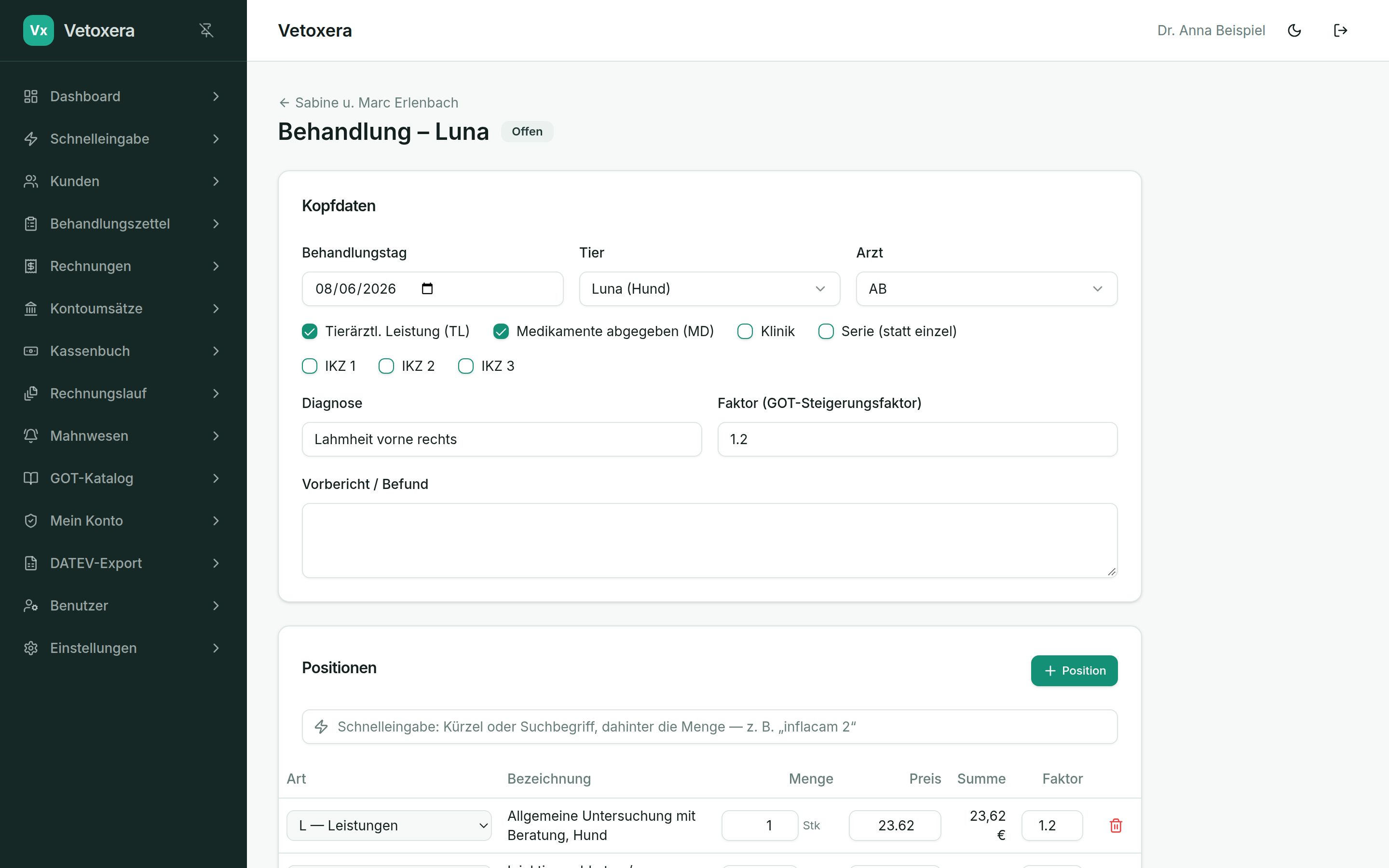
Header data
- Treatment date, animal and vet (Behandlungstag, Tier und Arzt, by initials) – the mandatory fields.
- Markers (Kennzeichen) such as veterinary service (TL), medication dispensed (MD), clinic (Klinik) or series (Serie) – just as you know them from the paper slip.
- Diagnosis (Diagnose) and history/findings (Vorbericht/Befund) as free text.
- The multiplier (Steigerungsfaktor) applies to the veterinary services of the treatment and can be overridden per line item. Prices and multipliers come from your own, freely configurable service catalogue.
Recording line items
The fastest way is the quick-entry row above the item list: type a short code or search term, optionally followed by the quantity – e. g. inflacam 2 – and confirm with Enter. Alternatively, + Line item (+ Position) opens the catalogue search.
- L – services (Leistungen): catalogue items that the multiplier applies to.
- N – medication administered (angewandte Medikamente): given at the practice.
- A – medication dispensed (abgegebene Medikamente): handed to the client.
- In addition there are flat rates and third-party services (e. g. laboratory), to which no multiplier is applied.
Vetoxera calculates subtotals, VAT and the total amount live.
Edit protection: as soon as a treatment appears on an invoice, it can no longer be changed. Only administrators may change prices and delete line items – vets and assistants record items at the catalogue price.
From treatment to invoice
You can invoice a single treatment straight from the form – or collect all open treatments and bill them together via the invoice run.