Quick entry
Note on the screenshots: the Vetoxera interface is currently German, and the screenshots come from an installation configured for the German market. Some labels in them – for example GOT-Katalog or DSGVO-Formulare – are named differently in an installation for the Emirates. The workflows and the layout are identical.
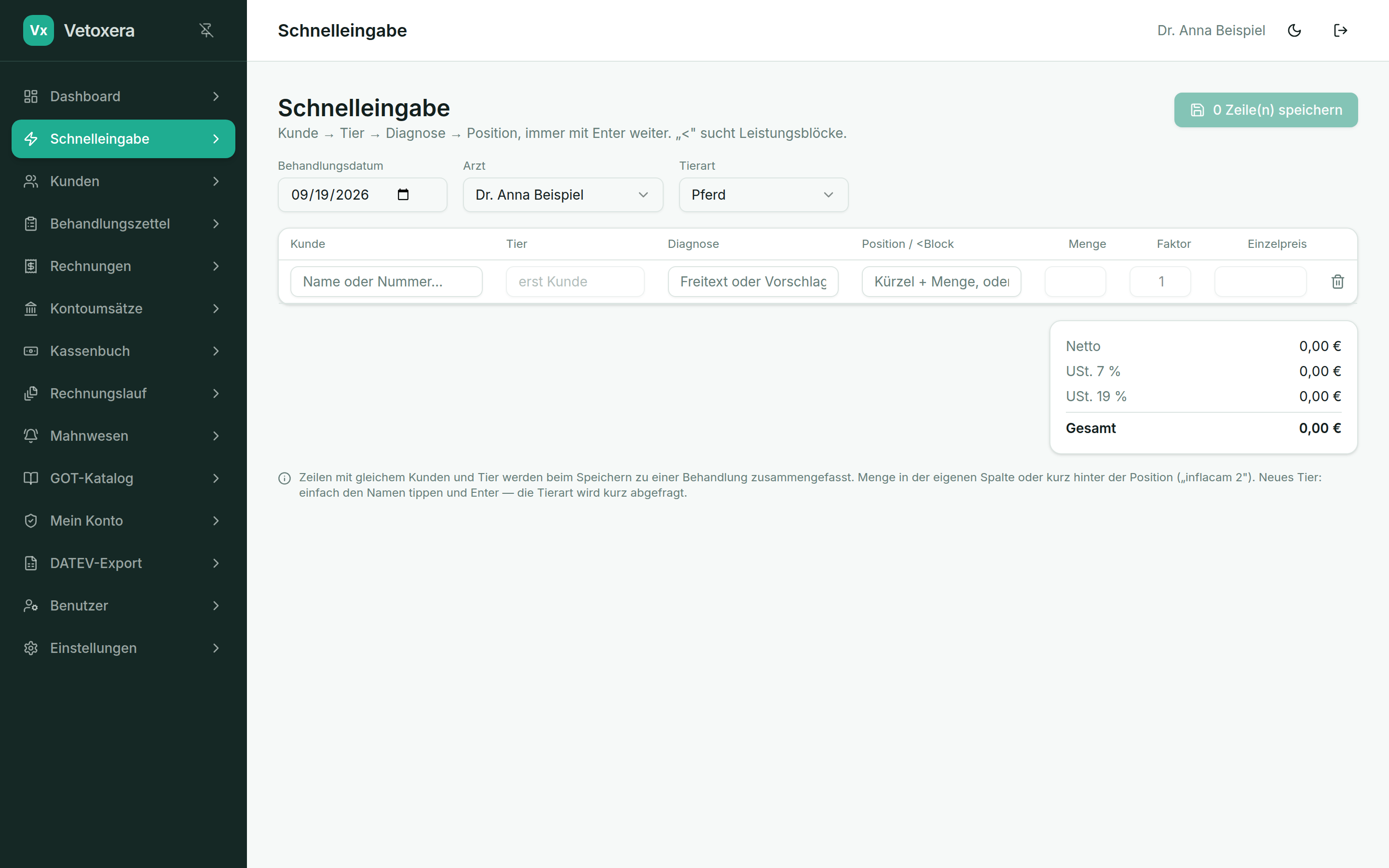
The quick entry (Schnelleingabe) is the keyboard-driven view for reception: client → animal → diagnosis → line items, always moving on with Enter – ideal for working through a stack of treatment slips quickly.
How it works
- Client (Kunde): type the name or client number, accept the suggestion with Enter.
- Animal (Tier): choose one of the client's animals – or simply type a new name; Vetoxera briefly asks for the species and creates the animal.
- Diagnosis (Diagnose): free text or a suggestion.
- Line item (Position): short code + quantity (e. g. inflacam 2); with < you search the service bundles instead.
The multiplier and unit price can be adjusted per row. On saving, Vetoxera automatically merges rows with the same client and animal into one treatment.
The treatment date and vet set at the top apply to every row of the session – so you can, for example, enter yesterday's slips as a batch under the correct date.