Account transactions & reconciliation
Note on the screenshots: the Vetoxera interface is currently German, and the screenshots come from an installation configured for the German market. Some labels in them – for example GOT-Katalog or DSGVO-Formulare – are named differently in an installation for the Emirates. The workflows and the layout are identical.
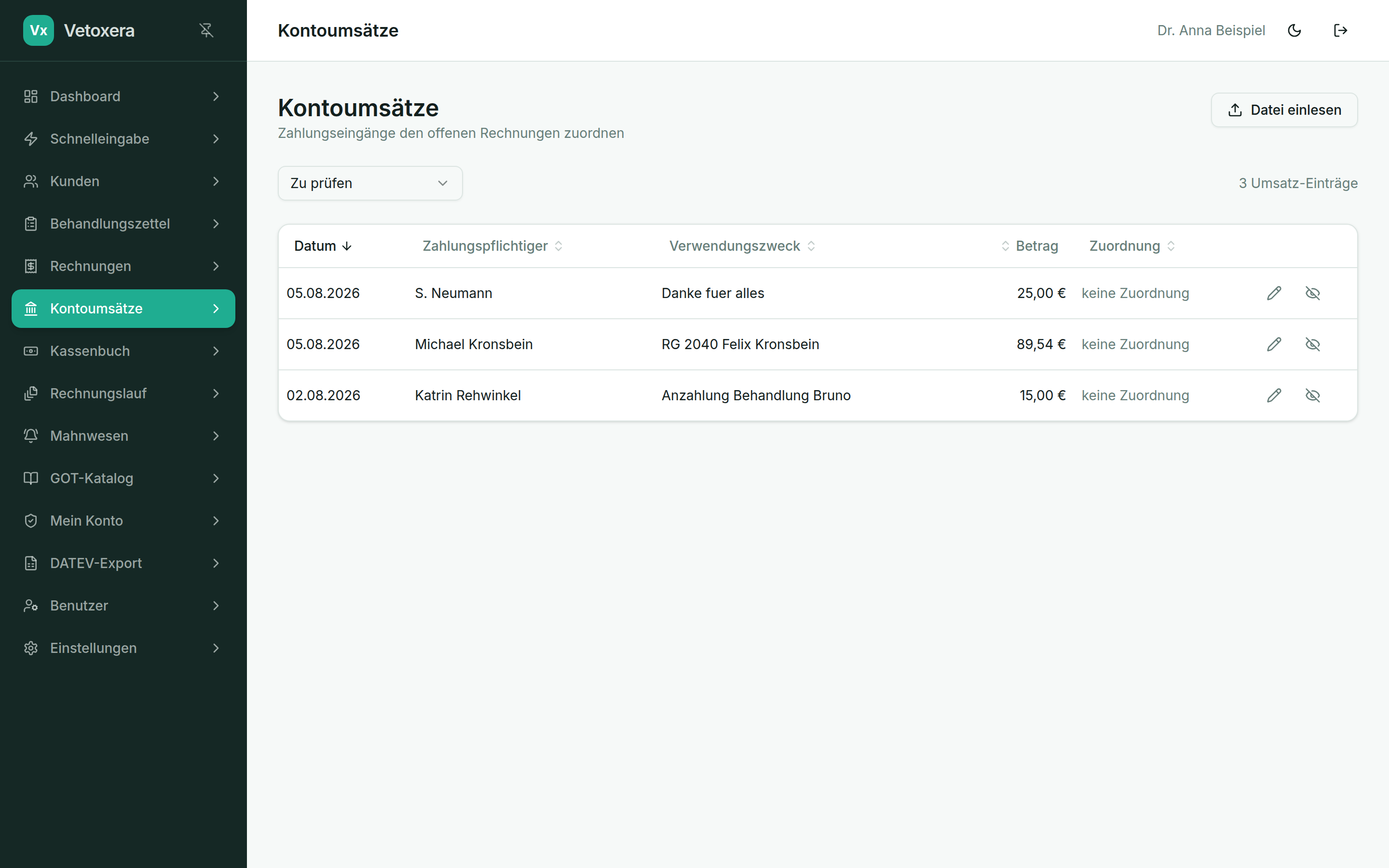
Under Account transactions (Kontoumsätze) your practice's bank movements arrive. Vetoxera matches incoming payments to the open items automatically – by payment reference, amount and name.
The daily reconciliation
- Unambiguous payments are matched automatically – the invoice counts as paid and the payment appears in the client file.
- Anything unclear ends up in the "To review" filter (Zu prüfen): there you assign it manually with a click, or mark the transaction as ignored (ignoriert) – e. g. bank charges or private entries.
- Part payments and combined transfers can be posted cleanly as well.
Without a bank connection: importing a file
Would you rather not retrieve anything online? Via Import file (Datei einlesen) you import bank statement files (e. g. camt/MT940 from your online banking) – the reconciliation then works in exactly the same way.