Users & roles
Note on the screenshots: the Vetoxera interface is currently German, and the screenshots come from an installation configured for the German market. Some labels in them – for example GOT-Katalog or DSGVO-Formulare – are named differently in an installation for the Emirates. The workflows and the layout are identical.
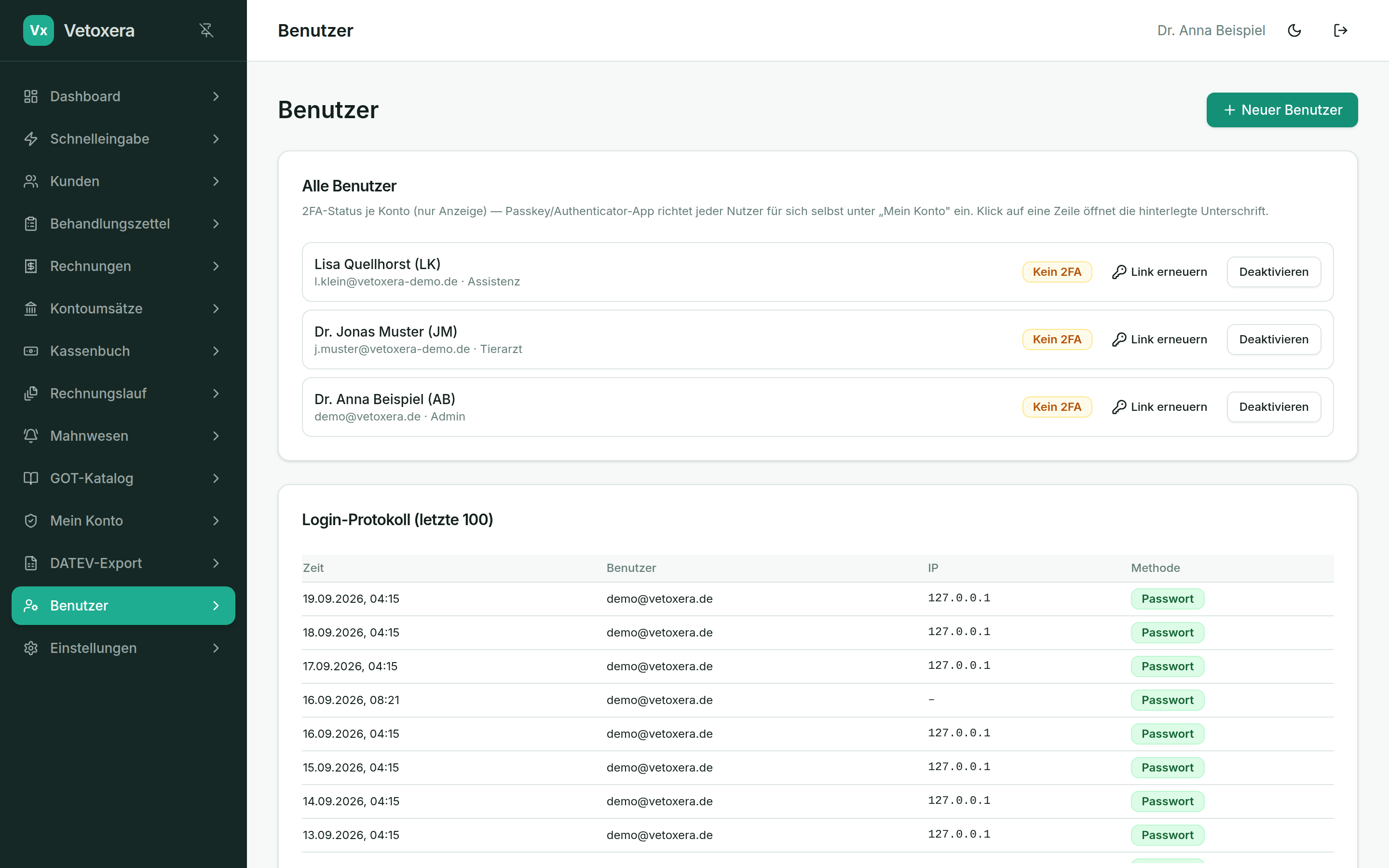
Under Users (Benutzer) the practice management looks after every account – with roles, initials and a security overview. Only administrators see this module.
Roles
- Admin – everything, including settings, users, price changes and corrective invoices.
- Vet (Tierarzt) – treatments, billing, client management.
- Assistant (Assistenz) – day-to-day data entry; prices are visible but cannot be changed.
Creating a user
- New user (Neuer Benutzer): set the name, email address, initials (Kürzel, shown as the "vet" on a treatment) and role.
- Vetoxera generates a setup link (Einrichtungslink) – each person chooses their own password. It is never sent or displayed in plain text.
- Staff who leave are deactivated rather than deleted – their initials on old treatments remain traceable.
Security at a glance
- The list shows for each user whether 2FA (authenticator/passkey) is active.
- The sign-in log (Login-Protokoll) lists sign-ins with time, IP address and method – including failed attempts.
- Via Request signature (Unterschrift anfordern) every user stores their signature for reports and forms through the QR-code handoff.