Invoice run
Note on the screenshots: the Vetoxera interface is currently German. The screenshots below show the actual interface, so German labels are quoted in brackets next to the English term – that way you can always find the element on your screen.
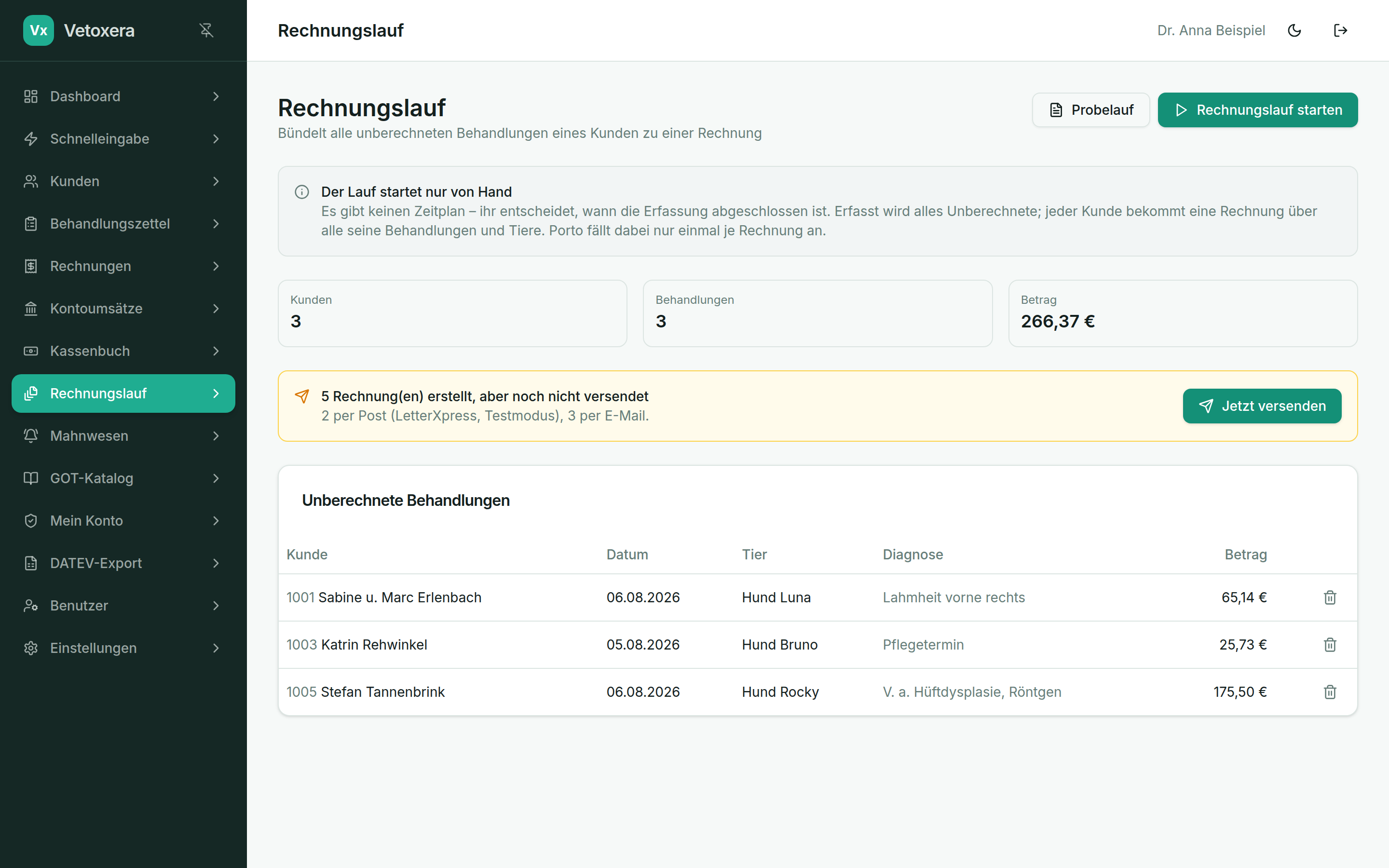
The invoice run (Rechnungslauf) bundles all uninvoiced treatments of a client into a single invoice – across all their animals, with postage charged only once per invoice.
How it runs
- The overview shows how many clients and treatments would be billed, and for what total amount. Individual treatments can be removed from the run beforehand.
- Dry run (Probelauf): simulates the run without creating any invoices – ideal for checking.
- Start the invoice run (Rechnungslauf starten): creates one invoice per client with a consecutive number.
- Afterwards a banner reminds you to send them: Send now (Jetzt versenden) dispatches the new invoices – per client by email or as a letter, exactly as stored in the client file.
The run only ever starts manually – there is deliberately no schedule. Your team decides when data entry is complete (e.g. at the end of the month).