Invoices
Note on the screenshots: the Vetoxera interface is currently German. The screenshots below show the actual interface, so German labels are quoted in brackets next to the English term – that way you can always find the element on your screen.
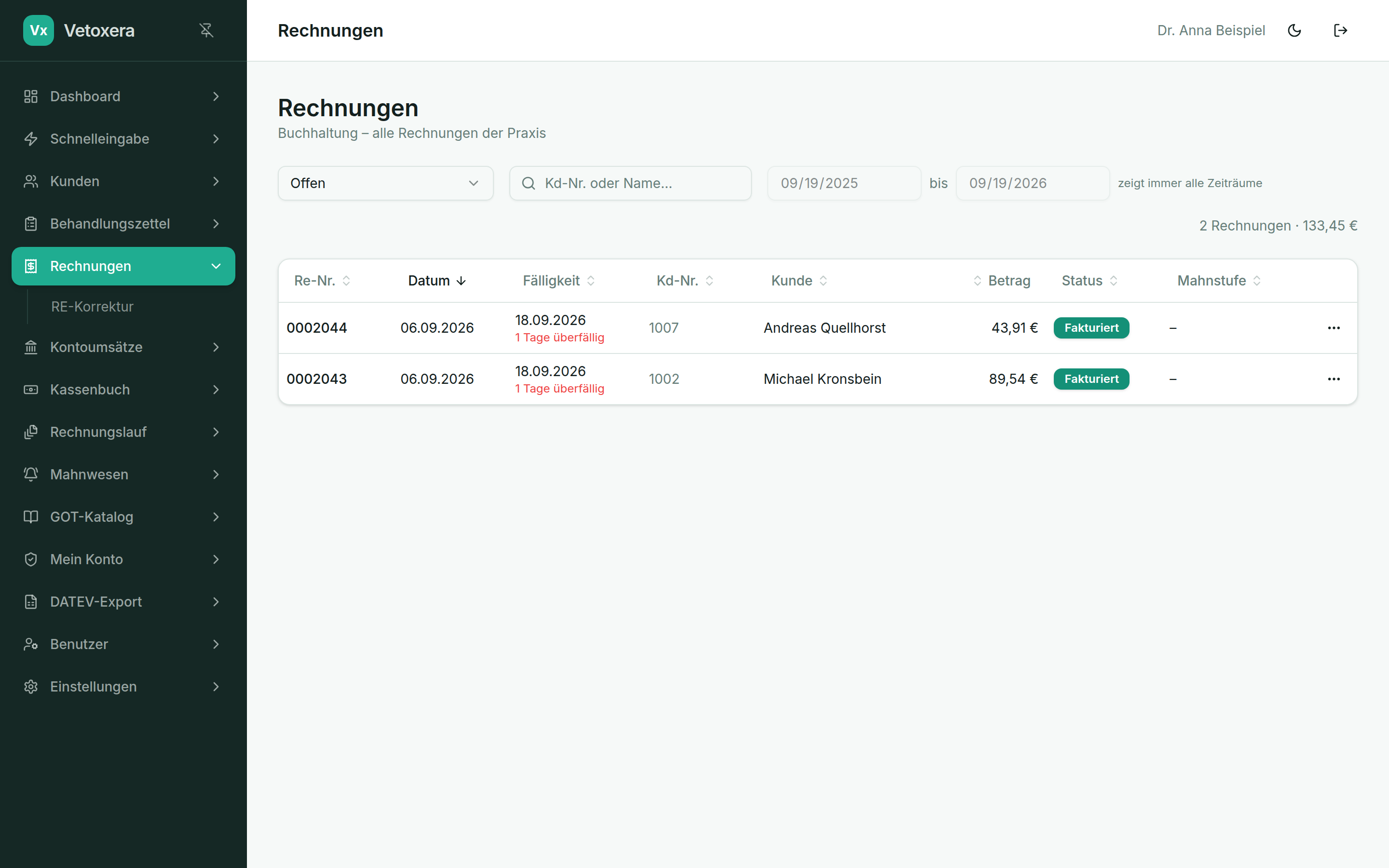
Under Invoices (Rechnungen) you find every invoice you have created, with status, amount and payment state – including the PDF view and dispatch.
What you can do here
- Filter and search – by period, status (open, paid, corrected) and client.
- View the PDF – every invoice opens as a GOT-compliant PDF with your practice's letterhead.
- Send – individually by email or as a batch via the invoice run; letters go out through the letter mailing module.
- Record payments – post incoming payments (including part payments) directly against the invoice; with the bank connection this happens largely automatically.
The invoice status always runs open → invoiced → paid (offen → fakturiert → bezahlt); corrections take their own route – see Corrective invoices.