Interface & navigation
Note on the screenshots: the Vetoxera interface is currently German. The screenshots below show the actual interface, so German labels are quoted in brackets next to the English term – that way you can always find the element on your screen.
After signing in you land on the dashboard – your practice's overview of the day. From here the sidebar on the left takes you to every module.
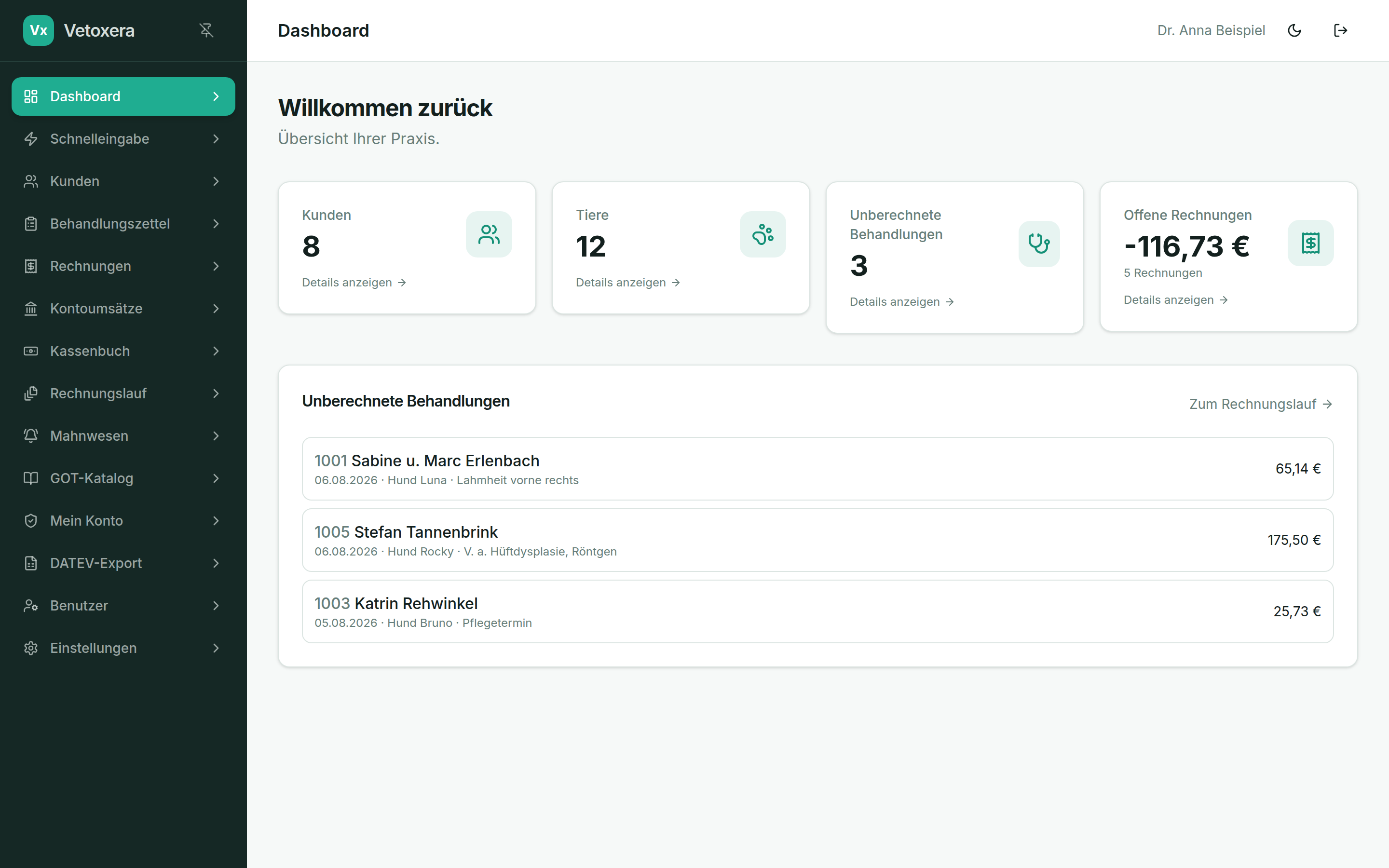
The dashboard
- Clients / animals (Kunden / Tiere) – record counts with a jump into the respective list.
- Uninvoiced treatments (Unberechnete Behandlungen) – everything that has been recorded but not yet invoiced.
- Open invoices (Offene Rechnungen) – total amount and number of invoices still unpaid.
- The list below leads straight to the uninvoiced treatments – or, with one click, to the invoice run (Zum Rechnungslauf).
Sidebar & header
- The sidebar holds all modules. The pin icon at the top keeps it permanently open or collapses it to save space; on tablets and smartphones it opens via the menu icon.
- The moon icon in the header switches dark mode on and off – the setting is stored per user.
- On the far right you sign out.
Modules that only administrators can see (e.g. Users and Settings) are hidden automatically for other roles – see the chapter Users & roles.